Add pages from your website
Add pages from your website so the assistant can answer from them. You can add one page by its URL, or pick many pages from your sitemap.
Before you begin
Section titled “Before you begin”- The pages must be public. AgentMySite fetches them over
httporhttpswithout signing in. - To add pages from a sitemap, your site needs a sitemap file, usually at
/sitemap.xml.
Add a single page
Section titled “Add a single page”-
In the sidebar, select Documents.
-
Select Add URL.
-
In Page URL, enter the full address of the page, for example
https://www.acme.com/shipping. -
Select Add page.
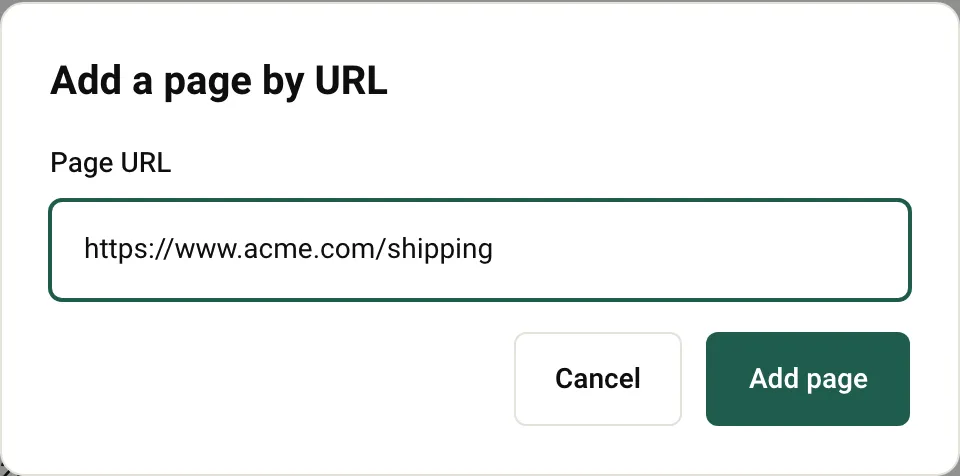
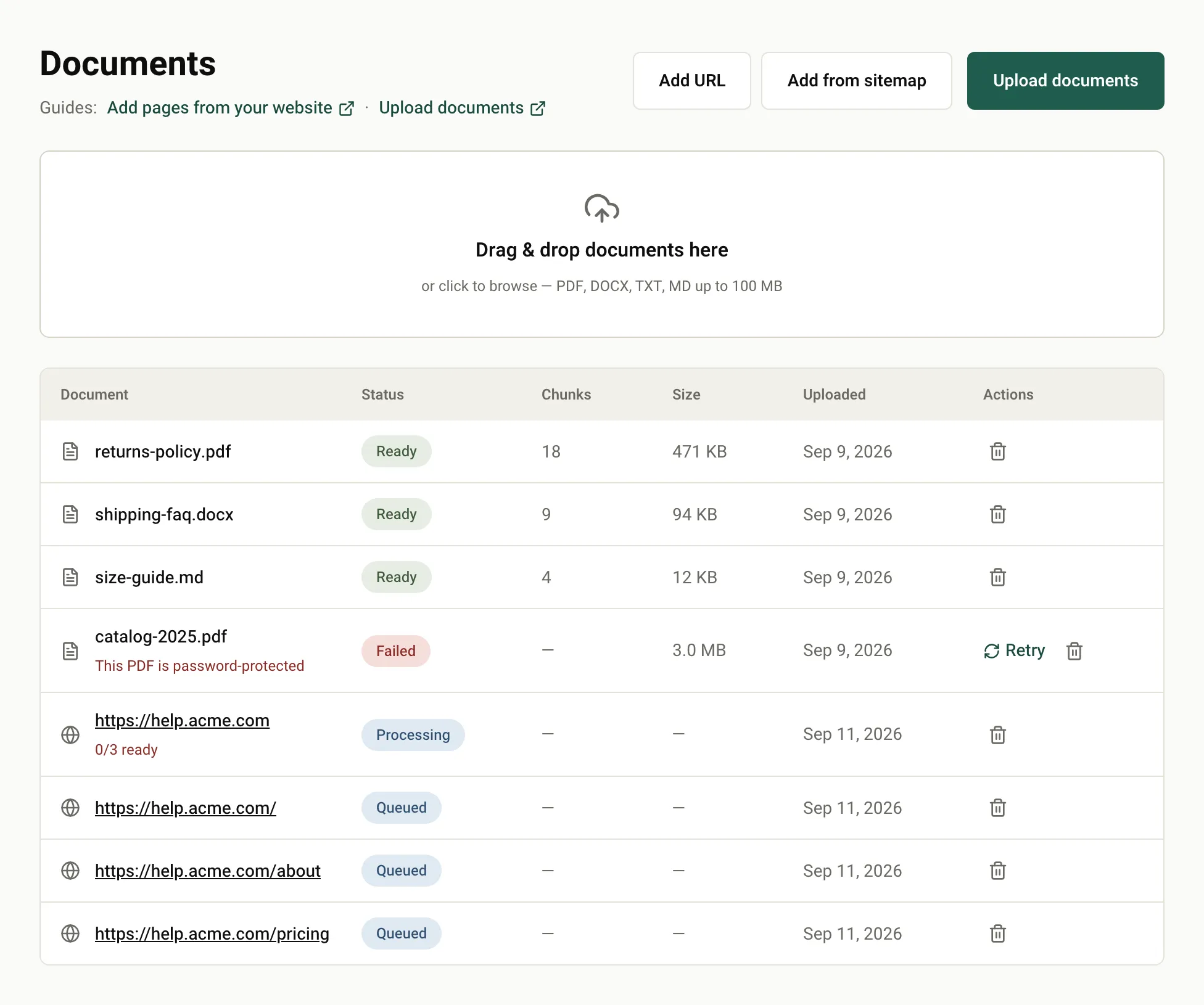
The page appears in the list with the status Queued, then Processing, then Ready.
If you see This URL is already ingested — use Re-sync to refresh it., the page is already in your content. See Keep content fresh.
Add pages from your sitemap
Section titled “Add pages from your sitemap”-
In the sidebar, select Documents.
-
Select Add from sitemap.
-
In Website URL, enter your site’s address, for example
https://help.acme.com, and select Find pages. -
In the list of pages, select the ones you want. Use the filter box to narrow the list, or Select all and Select none.
-
Select Add N pages.
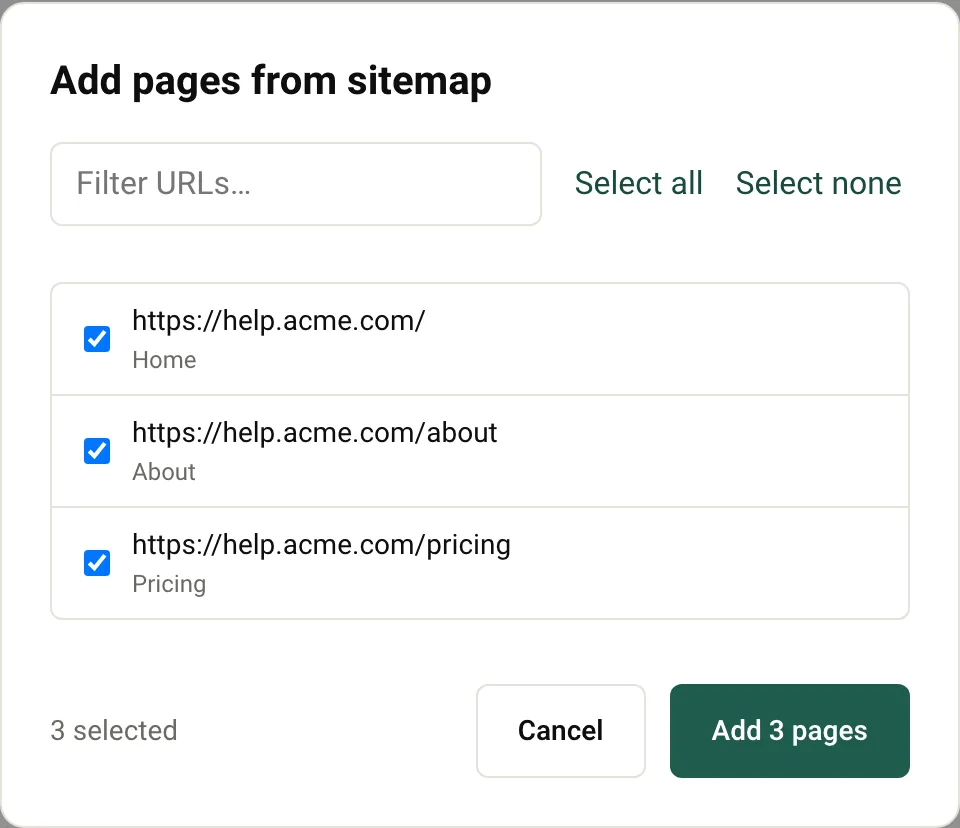
AgentMySite looks for your sitemap in this order:
- The address you entered, if it ends in
.xml. sitemap.xmlin the same folder as the address you entered. For example,https://acme.com/support/checkshttps://acme.com/support/sitemap.xml. This helps when your help center lives under a subpath.sitemap.xmlat the root of the domain, for examplehttps://acme.com/sitemap.xml.
Sitemap index files are supported; AgentMySite follows them to the sitemaps they list. Very large sitemaps are cut off at 10,000 pages, and the dialog shows This sitemap is large — only the first pages are shown.
Pages you already added are skipped, so you can run Add from sitemap again later to pick up new pages.
What you should see
Section titled “What you should see”The sitemap appears as one row with a summary such as 3/3 ready, and each page appears as its own row. Each Ready page counts toward Pages and documents under Plan limits on your dashboard; the sitemap row itself doesn’t.
How pages are fetched
Section titled “How pages are fetched”- AgentMySite respects your
robots.txt. Pages it disallows fail with the reason robots.txt disallows this URL. - It identifies itself with the user agent
AgentMySite-Bot/1.0. - Only HTML pages are added. A page must respond within 10 seconds and be no larger than 5 MB. Up to 3 redirects are followed.
- Addresses with a username and password in them, bare IP addresses, and private network addresses aren’t allowed.
Next steps
Section titled “Next steps”- Keep content fresh when your pages change.
- Upload documents for content that isn’t on your website.
Was this page helpful?
Thanks for the feedback.